10 Dome Projection Tips for Global Buyers
Global buyers evaluating Dome Projection systems face more than a choice between brightness and resolution. The real decision involves room geometry, audience capacity, content compatibility, service access, and long-term operating costs. A visually impressive demonstration can still fail when projectors cannot align across a curved surface. Small installation errors become obvious at the dome’s edges.
Dr. Thomas Kraupe, a respected planetarium director and immersive-media specialist, has observed, “The planetarium is a place where science, art, and technology come together.” That principle remains practical for international purchasing teams. A successful system must connect optical performance with educational goals, reliable software, and careful visitor-flow planning.
These ten Dome Projection tips focus on details buyers can verify before signing a contract. Examine native resolution, lumen output, contrast, lens flexibility, edge blending, and playback standards. Ask vendors for measured results inside a comparable dome, not only showroom footage. Request maintenance schedules, replacement-part timelines, training plans, and regional technical support.
Look closely at the content pipeline. A system may display cinematic scenes beautifully but struggle with scientific datasets or real-time visualization. Confirm language support, accessibility features, network security, and compatibility with existing control systems. Total cost matters.
Not just purchase price.
Global conditions also shape performance. Humidity, dust, unstable power, shipping delays, and local installation expertise can affect reliability. Some recommendations may seem obvious, yet they are often skipped under deadline pressure. Buyers should question attractive claims, document acceptance tests, and leave room for honest reassessment. The best choice is not always the brightest system; it is the one that remains dependable after the opening ceremony.
Map Dome Diameter, Viewing Angle, and Pixel Density Before Comparing Systems
10 Dome Projection Tips for Global Buyers
Map Dome Diameter, Viewing Angle, and Pixel Density Before Comparing Systems
Global buyers often compare projector counts, brightness, and prices too early. The dome’s geometry should guide every technical decision. Measure the usable diameter, springline height, and audience distance before requesting quotations. A 10-meter dome creates different image demands than a 6-meter dome. The difference is not cosmetic.
Viewing angle matters as much as dome size. A 180-degree display may suit a seated audience, while a dome above 220 degrees can improve immersion for standing visitors. Mark the main viewing zones on a floor plan. Check whether visitors will see the zenith, horizon, or side walls.
I once focused on the front seating area and underestimated side distortion. That mistake changed the required calibration work.
Pixel density should be mapped across the dome, not listed as one average number. Calculate pixels per degree at typical viewing positions. Fine text needs higher density than moving landscape content. For example, a 3.5-millimeter pixel pitch may look sharp nearby but feel soft from the rear seats.
Projector overlap, lens selection, and edge blending also affect perceived detail. Leave adjustment capacity in the design. Real rooms rarely match the drawing perfectly. Compare systems only after diameter, viewing angle, and pixel density share the same measurement basis.
Match Brightness to Surface Gain Using ISO 21118 Light-Output Measurements
10 Dome Projection Tips for Global Buyers
Match Brightness to Surface Gain Using ISO 21118 Light-Output Measurements
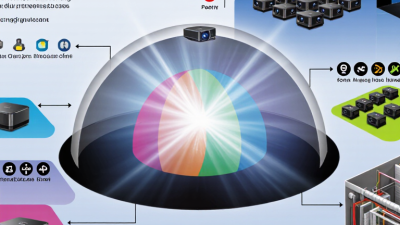
Dome projection starts with the surface, not the projector. A bright image can still look weak on a low-gain dome. Conversely, excessive output may create hot spots on a highly reflective coating. Surface gain describes how strongly the material reflects light toward the audience. It does not guarantee equal brightness across every viewing position.
When comparing global suppliers, request light-output data measured under ISO 21118 conditions. This standard provides a controlled reference for projector brightness, making technical comparisons more meaningful. However, the reported lumen value is not the same as brightness inside your dome. Lens transmission, image blending, edge warping, ambient light, and dome curvature can reduce practical output.
Use the measured lumen figure as a starting point. Estimate the required brightness across the projected area, then compare it with the dome’s tested gain. Ask for the gain angle, coating uniformity, and measurement method. Details matter. A sample panel may look excellent under showroom lighting but reveal uneven areas in a dark dome.
Leave headroom.
In real installations, dust, aging, calibration, and heat can reduce performance. I have seen buyers select equipment from impressive specification sheets, then discover dim edges during playback. A small on-site test is worth more than a confident promise. Review the ISO 21118 report, inspect the actual surface, and judge brightness from several audience positions before approving the final configuration.
10 Dome Projection Tips for Global Buyers - Match Brightness to Surface Gain Using ISO 21118 Light-Output Measurements
Planning reference: values below use a 16:9 image, a target of approximately 16 foot-lamberts (fL) for controlled viewing, and ISO 21118-rated projector light output. Actual requirements vary with ambient light, dome curvature, image content, optical losses, calibration, and the projector's operating mode.
| No. |
Projection Tip |
Recommended Surface Gain |
Typical Viewing Cone |
Example Image Size |
Approx. Screen Area |
Planning Target |
Approx. ISO 21118 Light Output |
Buyer Checkpoint |
| 1 |
Begin with the dome coating's measured gain rather than its marketing description. |
0.80 gain |
Wide, approximately 140°–160° |
100 in diagonal, 16:9 |
38.8 sq ft |
16 fL on the surface |
Approximately 2,450 lm |
Use a higher ISO 21118 lumen rating because a gain below 1.0 reduces reflected brightness. |
| 2 |
Use a neutral-gain surface when the dome must support broad audience seating and consistent color. |
1.00 gain |
Approximately 140°–160° |
120 in diagonal, 16:9 |
55.9 sq ft |
16 fL on the surface |
Approximately 2,820 lm |
Confirm that the ISO 21118 measurement is stated in the projector's intended operating mode. |
| 3 |
For a large educational or museum dome, calculate lumens from the complete illuminated area, not only the central viewing zone. |
1.00 gain |
Approximately 140°–160° |
150 in diagonal, 16:9 |
87.3 sq ft |
16 fL on the surface |
Approximately 4,400 lm |
Increase the design margin if the projector is ceiling-mounted far from the dome or requires a long-throw lens. |
| 4 |
Use a moderate-gain material only when its viewing-angle behavior is acceptable for the seating layout. |
1.30 gain |
Approximately 100°–140° |
180 in diagonal, 16:9 |
125.6 sq ft |
16 fL on the surface |
Approximately 4,850 lm |
Check for hotspotting and brightness falloff toward the sides before approving the material. |
| 5 |
For a low-ambient-light planetarium, prioritize uniformity and black-level performance over maximum gain. |
0.90 gain |
Approximately 140°–160° |
200 in diagonal, 16:9 |
155.1 sq ft |
14–16 fL on the surface |
Approximately 4,300–4,900 lm |
Request a calibrated brightness figure, because eco or quiet modes may produce less light than the maximum ISO 21118 rating. |
| 6 |
For venues with architectural spill light, raise the brightness target instead of relying only on a high-gain surface. |
1.00 gain |
Approximately 140°–160° |
200 in diagonal, 16:9 |
155.1 sq ft |
22 fL on the surface |
Approximately 6,800 lm |
Control room lighting first; excess ambient light reduces perceived contrast even when measured lumens are sufficient. |
| 7 |
When selecting a directional material, match the gain to the audience's most important viewing angles. |
1.50 gain |
Approximately 80°–120° |
220 in diagonal, 16:9 |
187.7 sq ft |
16 fL on the surface |
Approximately 3,950 lm |
Do not evaluate gain only from the center seat; inspect edge seats for brightness and color consistency. |
| 8 |
Allow for optical and installation losses when the projector uses a long-throw lens, mirror, port glass, or protective window. |
1.00 gain |
Approximately 140°–160° |
250 in diagonal, 16:9 |
242.4 sq ft |
16 fL after losses |
Approximately 7,600 lm before a 20% loss allowance |
Use the lens transmission and installation-loss data supplied for the exact optical path. |
| 9 |
For a high-gain surface, verify that the brightness distribution remains suitable for curved geometry and overlapping images. |
1.80 gain |
Approximately 60°–100° |
250 in diagonal, 16:9 |
242.4 sq ft |
16 fL on the surface |
Approximately 4,300 lm |
Use a test section or calibrated sample to identify hotspots, visible seams, and edge falloff before purchase. |
| 10 |
For multi-projector dome systems, calculate each channel separately and preserve headroom for aging and recalibration. |
1.00 gain |
Approximately 140°–160° |
300 in diagonal, 16:9 |
349.1 sq ft |
16 fL after blending |
Approximately 17,600 lm total for 6 channels, or 2,930 lm per channel before system losses |
Balance channels after geometric correction, edge blending, filters, and color calibration—not from nameplate lumens alone. |
Verify 180°/360° Geometry, Edge Blending, and 60 Hz Frame-Rate Support
Global dome projection projects often fail before installation begins. Buyers should verify the dome’s 180° or 360° geometry from measured drawings, not marketing diagrams. Ask for radius, springline height, and usable image area. A small curvature error can create visible stretching near the horizon.
Request a native test pattern with circles, grids, and horizontal lines. Inspect it across the zenith, horizon, and side walls. Edge blending should remain smooth under real viewing conditions. Check overlap width, brightness uniformity, and color consistency between channels. Dark seams may appear acceptable in photographs, yet become obvious during motion. Test with a moving star field or city simulation. Still images hide too much.
Confirm 60 Hz frame-rate support at the final resolution and signal format. Some systems reach 60 Hz only after reducing image quality or disabling processing. Measure input latency, frame drops, and synchronization during a continuous two-hour test. Keep the room at its expected operating temperature. Heat can alter alignment. It still fails.
Global buyers should request calibration records, acceptance criteria, and service procedures. Independent verification adds credibility when specifications seem unusually generous. Leave adjustment access around projectors and blending hardware. My own field experience shows that perfect laboratory alignment rarely survives transport. Recalibration is not a defect; ignoring it is. Be cautious with unsupported claims, especially when test conditions remain unclear.
10 Dome Projection Tips for Global Buyers
Verify 180° and 360° projection geometry, edge-blending behavior, and support for a 60 Hz signal before comparing dome projection systems.
How to use this chart: Confirm the required field of view, check that adjacent projected images blend without visible seams, and verify stable operation at 60 Hz. Also inspect calibration workflow, geometric warping, brightness uniformity, color consistency, synchronization, latency, thermal performance, serviceability, and content compatibility. The values shown are technical reference points rather than brand or market-share data.
Audit IEC 62368-1 Compliance, Warranty Coverage, and Five-Year Total Cost
10 Dome Projection Tips for Global Buyers
When evaluating a dome projection system, request evidence of IEC 62368-1 compliance, not a simple safety claim. Ask for the current test report, certificate scope, and applicable voltage information. The report should match the complete system, including projectors, media servers, power supplies, and control equipment. Check ventilation distances, grounding instructions, fire protection, and installation limits. Small document gaps can become serious commissioning delays.
Warranty language deserves the same attention. Confirm coverage for projectors, lenses, servers, cooling units, and calibration labor. Ask who pays for shipping, onsite service, replacement parts, and customs handling. A twelve-month warranty may sound adequate, but a remote dome can lose weeks during an overseas repair. Look for response times and exclusions for dust, humidity, power fluctuation, and continuous operation. Read the inconvenient clauses.
Build a five-year total cost model before comparing purchase prices. Include installation, spare lamps or laser modules, software updates, annual calibration, electricity, HVAC demand, operator training, and disposal fees. Request service intervals in writing. Then test the assumptions with a conservative usage schedule. My own early estimates often missed downtime and freight charges. That was avoidable. A useful model shows cost per operating hour, expected brightness decline, and the financial impact of one major component failure. Regional technicians, local parts stock, and documented maintenance procedures can matter more than a modest discount.