Choosing among the top Fulldome Projection systems requires more than comparing brightness and resolution. Global buyers need solutions that match venue size, audience expectations, local infrastructure, and long-term operating costs. A compact science center may need a quiet, efficient projector, while a large planetarium may prioritize edge blending, high contrast, and seamless 8K playback.
In professional installations, calibration often matters as much as hardware. Lens alignment, dome geometry, ambient light, and content mapping can change the final image dramatically. Fit matters more. Specifications can mislead when tested under different conditions. Buyers should request independent performance data, sample footage, warranty terms, replacement-lamp policies, and regional technical support. Power compatibility and climate control also deserve careful attention, especially for facilities operating in hot or humid environments.
This guide compares leading Fulldome Projection systems through practical criteria, including image quality, scalability, software compatibility, installation complexity, maintenance, and total cost of ownership. It also considers the experience of integrators and operators, because reliable daily performance is rarely visible in a product brochure. Some rankings will remain subjective. That is unavoidable. A system praised by one museum may not suit a traveling exhibition or a university classroom. The most dependable choice is usually the one supported by clear testing, transparent documentation, and a realistic deployment plan. Small details matter. This guide highlights them for buyers seeking confident, informed decisions across international markets.
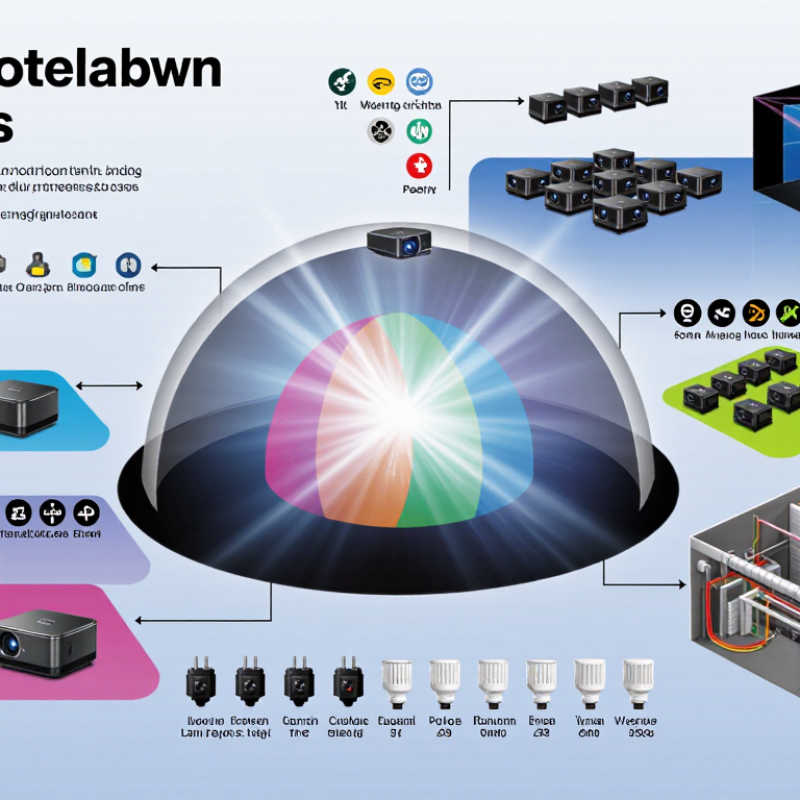
Fulldome projection systems create a continuous image across the inside of a curved dome. Unlike a flat-screen setup, they must cover the audience’s entire field of view. A typical system includes several digital projectors, a media server, mounting hardware, calibration tools, and specialized software. Each projector covers one section of the dome. Image warping and edge blending then combine those sections into one visual scene.
Brightness, resolution, lens position, and dome size strongly affect performance. A small educational dome may use fewer projectors, while a large venue needs precise alignment across a wider surface. Dark scenes can reveal uneven brightness, visible seams, or poor black levels. These flaws are easy to notice above the audience. They are not always caused by weak equipment; dust, heat, vibration, and incorrect calibration can also reduce image quality. Regular maintenance matters.
Global buyers should examine viewing distance, ceiling height, local power requirements, ventilation, and technical support before choosing a system. Ask for measured brightness, native resolution, blending accuracy, and calibration procedures. A demonstration is useful, but it may not show long-term operating costs. I would also test motion content, not only attractive still images. Perfect uniformity is difficult to achieve. Practical reliability often matters more than impressive specifications on paper.

Fulldome projection systems display specially warped content across a hemispherical screen. System performance is commonly evaluated by raster resolution and total image pixels rather than by brand.
The chart compares common square raster classes used when preparing immersive dome content. Pixel totals are calculated from the raster dimensions: 2K equals 2,048 × 2,048 pixels, 4K equals 4,096 × 4,096 pixels, and 8K equals 8,192 × 8,192 pixels. Higher raster capacity can support greater image detail, but the appropriate choice also depends on dome size, viewing distance, projector alignment, brightness, contrast, and content format.
A reliable fulldome projection system begins with matched projectors, precision lenses, and a stable image server. Projector brightness must suit the dome diameter, surface color, and expected audience size. Brightness matters. Too much light can reveal seams and reduce contrast. Too little light makes stars appear weak and lifeless. Laser illumination usually offers longer operating life and steadier output than traditional lamps. However, lamp-based units may still suit smaller venues with limited budgets.
Edge blending and geometric warping create one continuous image across multiple projectors. The processing system should support accurate calibration, flexible content formats, and real-time correction. A dome’s curvature makes alignment unforgiving. Even a small lens shift can distort a planet or architectural model. Automated calibration saves time, but technicians should verify results manually. Software is helpful, not magical.
The dome structure also affects performance. A smooth, neutral-colored surface improves color accuracy and reduces visible hotspots. Proper ventilation protects projectors from heat and dust, especially in busy educational venues. Global buyers should check power compatibility, replacement-part access, warranty terms, and local technical support before ordering. Field testing remains valuable because specifications rarely show fan noise, maintenance effort, or motion clarity. No design is perfect. A practical system balances image quality, serviceability, operating cost, and room conditions rather than chasing maximum resolution alone.
Fulldome systems usually fall into three practical configurations: single-projector, multi-projector, and direct-view LED. A single projector suits smaller domes, compact museums, and education rooms. It simplifies installation and maintenance, but edge brightness may decline on large surfaces. Multi-projector systems create smoother coverage across wide domes. They require precise blending, geometric calibration, and stronger computing hardware. Direct-view LED offers high contrast and daylight visibility, although its cost, weight, and curved installation demands careful planning.
Applications vary with audience and room design. Planetariums need accurate star fields, smooth motion, and reliable astronomical software. Science centers often combine immersive films with interactive lessons, where low latency matters. Universities may use domes for engineering visualization, medical training, or climate research. Cultural venues can present virtual heritage scenes, but content should respect local history and community perspectives. A powerful system cannot repair weak storytelling.
Global buyers should inspect power requirements, cooling, replacement access, network compatibility, and local technical support. Ask for measured brightness, black-level performance, resolution at the dome edge, and calibration procedures. I have seen impressive demonstrations fail in real venues because ventilation was underestimated. The room sounded louder than expected, too. Buyers should test content from different sources, including live data and standard video formats. A small pilot installation may reveal viewing-angle problems before a full purchase.
A strong fulldome projection system must survive more than a bright demonstration. It should deliver stable detail across the zenith, horizon, and dome seams. AVIXA’s 2024 Industry Outlook and Trends Analysis projected global professional AV revenue above 325 billion US dollars in 2024. That growth increases buyer choice, but specifications still need verification.
Measure brightness at the audience position, not only at the projector output. ISO 21118 provides a recognized framework for projector brightness measurement. Ask suppliers for calibrated center and edge readings, black-level data, contrast, color uniformity, and blending error. SMPTE ST 2084 can guide HDR evaluation, although HDR alone cannot fix poor dome calibration. Watch a moving star field, a dark planet surface, and fine text. Uneven blacks become obvious there. I have found that impressive showroom footage often hides edge softness. That is worth questioning.
Tips: Request a full-scale test with your actual dome geometry. Check brightness after blending, not before. Review service response times, spare-part access, laser-life assumptions, and remote monitoring features. Ask for logged operating data from similar installations. A small calibration drift may seem harmless, yet repeated drift can damage visitor confidence. Also compare power draw and cooling noise during a continuous eight-hour test. Rated lifetime figures are useful, but real dust, heat, and maintenance habits can shorten them. Reliability is partly engineering, and partly discipline.
Global buyers should evaluate fulldome projection systems as long-term infrastructure, not ordinary display equipment. AVIXA’s 2024 Industry Outlook projected the global professional AV market at approximately $332 billion in 2024, reaching $402 billion by 2029. This growth increases supplier choice, but also complicates quality control. Buyers should compare measured brightness, contrast, resolution, lens shift, edge-blending accuracy, and expected light-source life. A bright specification can still produce uneven skies inside a dark dome.
Installation requires local expertise. Confirm dome geometry, projector throw distances, ceiling loads, ventilation, humidity, dust control, and electrical standards before ordering. A local integrator should provide calibrated alignment, color mapping, safety documentation, and operator training. Import duties, replacement-part availability, language support, and response times deserve equal attention. A low purchase price may become expensive when a failed projector waits weeks for customs clearance. This is not always obvious.
Tips: Request a live demonstration using your content, not only a supplier’s demo reel. Require a written pixel-alignment tolerance and a preventive-maintenance schedule. Keep critical lamps, filters, cables, and control components locally. The U.S. Department of Energy notes that maintenance and operating conditions strongly influence lighting-system performance; projection systems deserve the same discipline. Annual calibration is sensible, although smaller venues may postpone it. That compromise can quietly reduce image quality. Track brightness, color drift, temperature, and fault history after every service visit.
| System Category | Typical Dome Diameter | Recommended Projection Architecture | Typical Image Resolution | Typical Brightness per Projector | Key Purchasing Considerations | Installation Requirements | Maintenance and Operating Considerations | Global Procurement Notes |
|---|---|---|---|---|---|---|---|---|
| Compact Portable Fulldome | 5–8 m | 2–4 projectors using edge blending and geometric warping | WUXGA to 4K UHD | 5,000–10,000 ANSI lumens | Prioritize low weight, quick setup, transport cases, automatic calibration, and compatibility with temporary venues. | Requires a stable floor, controlled ambient light, projector alignment, and a compact media server. | Clean air filters regularly; inspect transport connections and recalibrate after relocation. | Confirm packed dimensions, shock protection, local power plugs, voltage range, and spare-cable availability. |
| Small Fixed-Dome System | 8–12 m | 3–6 projectors with edge blending and dome-specific warping | 4K to 8K total canvas | 8,000–15,000 ANSI lumens | Evaluate image uniformity, black-level performance, lens-shift range, acoustic noise, and media-server capacity. | Needs a permanent mounting structure, accurate projector positioning, ventilation, blackout treatment, and dedicated electrical circuits. | Schedule periodic lens cleaning, filter service, color matching, alignment checks, and firmware management. | Request site drawings, thermal-load data, installation documentation, and remote-support coverage before purchase. |
| Medium Educational or Museum Dome | 12–18 m | 5–8 projectors with synchronized playback and edge blending | 8K to 16K total canvas | 10,000–20,000 ANSI lumens | Compare total system brightness, contrast, color consistency, uptime rating, content workflow, and accessibility features. | Requires structural load assessment, projector lifts or platforms, network infrastructure, acoustic treatment, and professional calibration. | Use a preventive maintenance plan covering filters, cooling systems, optical surfaces, color calibration, and server storage. | Check customs classification, import duties, insurance, local service partners, training, and replacement-unit lead times. |
| Large Planetarium or Immersive Theater | 18–25 m | 8–12 projectors with synchronized multi-channel rendering | 16K to 24K total canvas | 15,000–30,000 ANSI lumens | Focus on uniformity across the full dome, synchronization accuracy, rendering performance, cooling design, and long-term parts support. | Needs engineered mounting, precise optical measurement, high-capacity power distribution, HVAC planning, network redundancy, and professional commissioning. | Plan scheduled recalibration, optical inspection, thermal monitoring, projector-status logging, and lifecycle replacement budgets. | Use a multi-stage acceptance process covering factory testing, installation testing, content testing, and final performance verification. |
| High-Brightness Large-Dome System | 25–35 m or larger | 10–16 or more projectors, commonly laser-based, with advanced blending and warping | 20K to 32K+ total canvas | 20,000–40,000+ ANSI lumens | Assess brightness uniformity, thermal management, service accessibility, redundancy, calibration automation, and total cost of ownership. | Requires detailed structural engineering, dedicated plant-room planning, substantial HVAC capacity, industrial electrical distribution, and specialist commissioning. | Maintain strict environmental conditions; inspect cooling, optics, mounts, networking, and calibration sensors on a documented schedule. | Negotiate spare-projector strategy, international response times, local technician training, warranty terms, and long-term software support. |
| Hybrid Projection and LED Immersive System | Variable; commonly 8–20 m viewing environments | Projection for curved surfaces, LED panels for selected zones, or projection combined with direct-view displays | 4K to 16K total canvas, depending on configuration | Projection brightness is application-dependent; LED brightness is commonly specified in nits | Compare pixel pitch, viewing distance, refresh rate, color calibration, seam visibility, content compatibility, and heat output. | Requires separate structural, electrical, ventilation, signal-distribution, and control-system planning for each display technology. | Projection areas need optical maintenance; LED areas need module-level service access, diagnostics, and spare-panel planning. | Clarify whether replacement modules, calibration tools, control licenses, and specialized technicians are available in the destination country. |
| Laser-Based Fulldome System | 8–35 m, depending on projector count and brightness | Multi-projector laser architecture with edge blending and real-time warping | 4K to 32K+ total canvas | 8,000–40,000+ ANSI lumens per projector, depending on model and application | Consider rated light-source life, color stability, speckle management, contrast, power consumption, and serviceability. | Requires controlled ventilation, safe access, accurate mounts, electrical capacity, and compliance with applicable laser-safety requirements. | Laser light sources generally reduce lamp replacement, but filters, cooling systems, optics, calibration, and electronics still require service. | Verify regulatory approvals, safety documentation, transport restrictions, voltage compatibility, and availability of qualified regional service personnel. |
| Lamp-Based Fulldome System | 8–25 m | Multi-projector architecture using high-intensity lamps with edge blending | WUXGA to 16K total canvas | 6,000–30,000 ANSI lumens per projector | Compare lamp replacement cost, brightness decay, lamp availability, operating hours, contrast, and total energy consumption. | Needs effective exhaust and cooling, lamp-access clearance, stable mounting, blackout control, and appropriate electrical protection. | Budget for lamp replacement, air-filter cleaning, optical cleaning, color matching, and more frequent brightness recalibration. | Confirm local lamp import rules, hazardous-goods shipping procedures, replacement stock, warranty exclusions, and technician training. |
| Standardized Global Deployment Package | Site-specific; typically 8–25 m | Pre-engineered projector, media-server, networking, control, calibration, and monitoring package | Defined by the selected projector count and content canvas | Specified by required screen luminance and ambient-light conditions | Use a documented bill of materials, interface standards, spare-parts list, acceptance criteria, and upgrade roadmap. | Complete a site survey covering dome geometry, throw distances, power, HVAC, network, rigging, fire safety, and audience access. | Adopt remote monitoring, preventive maintenance intervals, calibration records, software version control, and operator training. | Standardize components across regions where possible and define Incoterms, delivery milestones, customs responsibilities, and local compliance documents. |