Inquiry
Form loading...
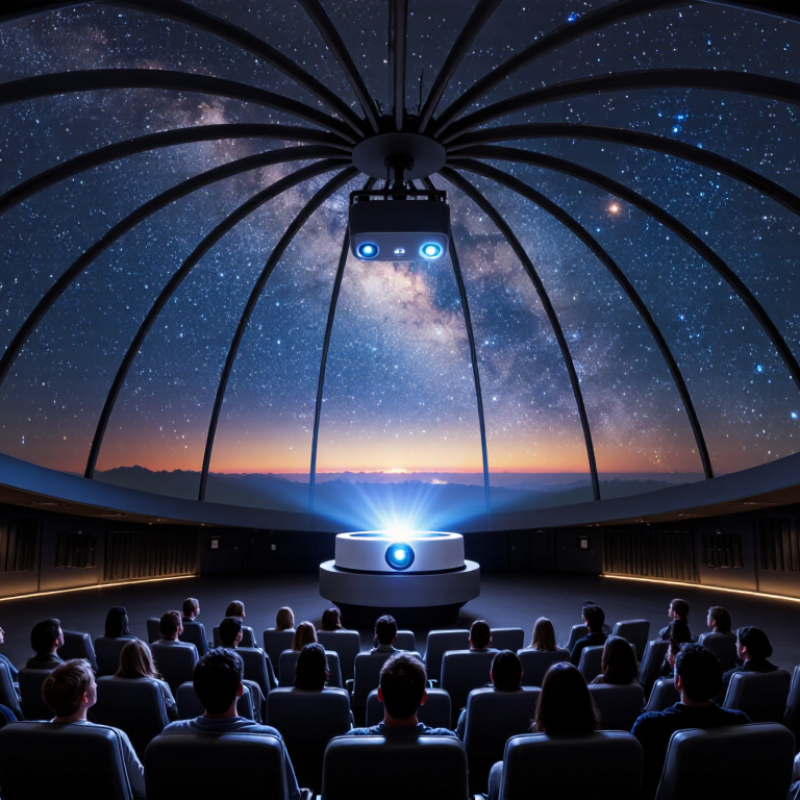
Choosing a Fulldome Planetarium in 2026 means looking beyond the dome’s size or the projector’s advertised resolution. The right system must serve real programs, audiences, staff, and budgets. It should render stars sharply, keep motion smooth, and make the horizon feel continuous from every seat. Small details matter.
Immersive-projection researcher Paul Bourke’s technical work points to a useful principle: dome imagery must be designed for the curved surface, not simply enlarged from a flat screen. Treat this as guidance, not a verbatim quotation. Ask vendors to demonstrate calibrated content across the full dome, including the edges and areas near the horizon. Watch a star field, a moving sequence, and a bright scene. Look for seams, blur, distracting reflections, and uneven color. Then ask how calibration, software updates, and repairs are handled.
A strong shortlist should compare projection type, resolution, brightness, contrast, sound, control systems, accessibility, and total operating costs. Request demonstrations using your intended content, not only polished sales reels. Speak with operators at similar venues. Their experience may reveal maintenance demands that brochures leave out. A modest installation can be the better choice. It depends on the room, audience, and team.
This guide explains how to assess those trade-offs, compare suppliers, and plan for future upgrades. It also flags common gaps in specifications and questions worth asking before purchase. No single specification tells the whole story. Choose the system your staff can operate reliably and your visitors will want to return to.
Before comparing equipment, decide what the fulldome planetarium must help people do. A school may need clear astronomy lessons and frequent class rotations. A science center may prioritize immersive storytelling, live presentations, and evening events. Write down the three most important uses. Keep the list realistic.
Audience shapes the room. Younger visitors often need shorter shows, simple language, and easy sightlines from different seats. Older students may benefit from interactive sessions and more technical detail. Ask educators, accessibility advisers, and likely visitors to review the plan. Their feedback can expose assumptions early. Not every request will fit.
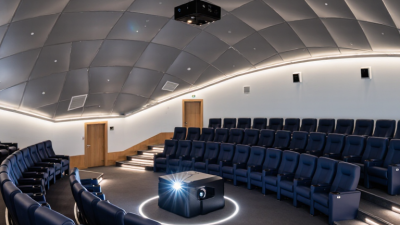
Then assess the site, not just the dome. Measure ceiling height, floor area, door widths, and the route for moving large components inside. Check seating capacity, accessible circulation, ventilation, power, network access, and ambient light. A bright corridor can interfere with dark adaptation; a low ceiling may limit dome geometry. Get dimensions verified by qualified building and audiovisual professionals. Plans on paper can be wrong. I would leave room in the budget and schedule for surprises, because site constraints often emerge late. A smaller, well-designed room may serve its audience better than a larger space that is difficult to operate.
| Planning dimension | Learning or community venue | Public attraction or museum | Portable outreach program |
|---|---|---|---|
| Primary purpose | Support astronomy, Earth science, and classroom instruction; allow time for educator-led discussion. | Deliver scheduled public shows, special events, and immersive science or cultural programs. | Bring short, facilitated dome experiences to schools, libraries, and community events. |
| Typical audience | School groups, students, teachers, and occasional family audiences. | Families, tourists, school groups, and ticketed event audiences. | Small or rotating groups; audiences and age ranges vary by host site. |
| Indicative dome size and capacity | A dome around 6–10 m in diameter may suit roughly 25–70 seats, depending on seating layout and accessibility needs. | A dome around 10–18 m may accommodate roughly 70–250 seats, subject to sightlines, exits, and local occupancy rules. | A portable dome around 4–8 m may serve roughly 15–50 people per session; confirm the supplier’s safe occupancy limit. |
| Site and space requirements | Check clear internal height, accessible routes, seating layout, emergency exits, ventilation, power, and control-room or equipment space. | Plan for the dome plus foyer or queue space, accessible seating, safe circulation, equipment access, and separation from noisy areas. | Measure a level, unobstructed floor area; verify ceiling clearance, doorway dimensions, power access, setup time, and evacuation routes at each venue. |
| Projection and content priorities | Prioritize accurate star-field rendering, curriculum-relevant content, educator controls, and support for live sky presentations. | Prioritize consistent image coverage, legible visuals across the dome, reliable show playback, and a content library suited to varied audiences. | Prioritize fast setup, robust playback, simple operation, and content that remains clear in a compact dome. |
| Operational factors | Allow for staff training, class turnover, cleaning, routine maintenance, and accessible show formats. | Evaluate daily show schedules, ticketing and crowd flow, technical staffing, maintenance coverage, and system downtime plans. | Evaluate transport weight and packing, setup and breakdown labor, equipment protection, and operator training. |
| Before selecting a system | Define learning outcomes, expected group size, available room dimensions, and the balance between live teaching and prerecorded shows. | Estimate visitor demand, seats per show, operating hours, content needs, and the venue’s capital and ongoing operating budgets. | List host-site constraints, expected sessions per day, transport arrangements, and the staff available to operate the dome. |
Dome sizes and audience capacities above are indicative planning ranges, not guaranteed specifications. Final capacity depends on seating geometry, accessibility, exits, and applicable building and fire codes. Confirm site dimensions and technical requirements with qualified designers and the system supplier.