Inquiry
Form loading...

What Is Dome Projection and How Does It Work?

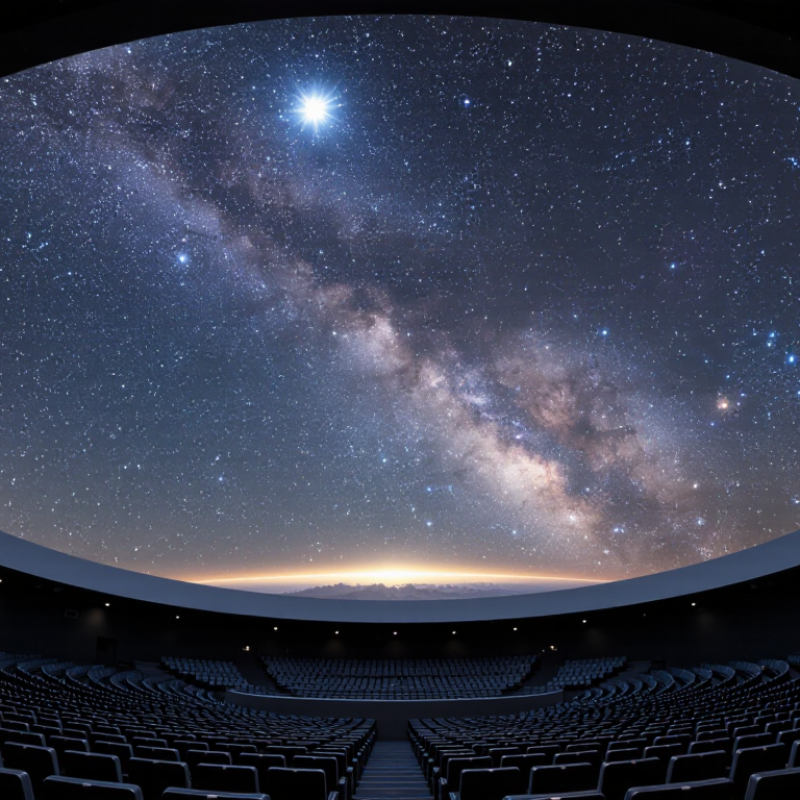
Dome Projection turns a flat image into an enveloping visual field. Instead of watching a rectangular screen, viewers look across a curved surface that can surround their sightline. The effect feels immediate. A star appears overhead; a simulated horizon can stretch from one side of the room to the other. Astronomer and science communicator Carl Sagan captured the pull of that experience when he wrote, “The sky calls to us.” His words describe astronomy’s power, not a projection system, but they help explain why immersive sky displays can hold an audience’s attention.

How does Dome Projection create that effect? A computer maps images onto a dome’s curved geometry, correcting the distortion that would appear on a flat surface. A fisheye lens can send a single, wide image across the screen. Larger venues may use several projectors, carefully aligned and blended to reduce visible seams. Calibration matters. A small mismatch can turn a smooth star trail into a doubled line. Brightness, focus, seating position, and image resolution also shape what visitors actually see.

The technology has limits. Not every seat offers the same view, and a dome can make fast movement uncomfortable for some viewers. Those details deserve attention, not a footnote. This guide explores the equipment, image mapping, and practical choices behind Dome Projection. It also asks a simple question: when does immersion clarify a story, and when does it merely make the picture bigger?
What Is Dome Projection and How Does It Work?

What Is Dome Projection?

Dome projection is a way of displaying images across a curved, usually hemispherical surface. Instead of watching a flat screen, viewers look up as visuals wrap around their field of view. A projector sends light through a fisheye lens or a software-corrected image onto the dome. The result can show stars, flight paths, or moving landscapes overhead. The image must be carefully warped before projection. Otherwise, circles stretch and straight lines bend in distracting ways.

A dome system may use one projector or several, depending on its size and required detail. With multiple projectors, software blends overlapping edges to reduce visible seams. Calibration matters. Installers adjust focus, brightness, and alignment, often from different points inside the room. Even then, a slight mismatch can remain; curved surfaces are unforgiving. Viewers near the edge may also see distortion more clearly than those seated centrally.

Dome projection is used in planetariums, museums, and immersive venues, but market figures need careful interpretation. Grand View Research’s 2024 projection-mapping report estimated that the global projection-mapping market reached 4.41 billion US dollars in 2023. That figure covers more than domes, so it does not measure dome installations alone. Still, it signals broader interest in large-scale projected experiences. The report’s estimate is useful context, not proof that every dome project will attract an audience.
What Are the Main Components of a Dome Projection System?

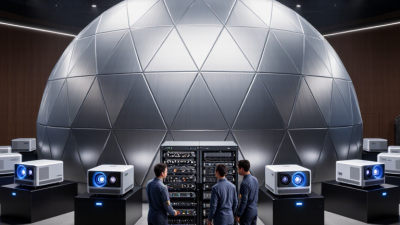
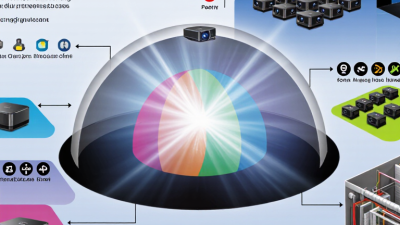
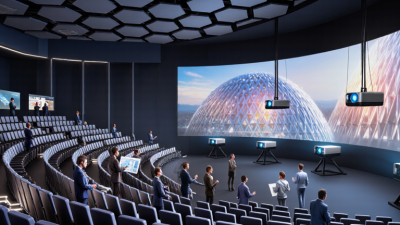
A dome projection system relies on several parts working together. The curved projection surface provides the canvas, while one or more projectors direct images onto it. A media server stores and plays the content. It also helps correct image distortion and blend overlapping edges, so the dome looks like one continuous picture. Calibration matters: a seam or stretched star can break the illusion.

Control hardware synchronizes playback, projectors, and sometimes motion tracking. Audio equipment adds sound, while mounts, ventilation, and power keep the installation stable. AVIXA’s 2024 Industry Outlook and Trends Analysis forecasts global professional audiovisual industry revenue of $325 billion by 2028. That figure covers the wider AV sector, not dome systems alone, but it reflects the growing technical ecosystem behind immersive displays. Even careful calibration can need adjustment after installation; real rooms are rarely perfect.

Tips: Check the dome’s dimensions and viewing position before choosing projector placement. Test a grid pattern across the full surface, especially at seams and edges. Keep a little time for recalibration. It is easy to underestimate.

What Is Dome Projection and How Does It Work? — Main Components of a Dome Projection System

Component Role in the System How It Works Key Considerations
Dome screen The curved surface on which the image is displayed. Images are projected onto the inside of a hemispherical or partial-dome surface, surrounding viewers with visuals. Surface shape, size, reflectivity, color, and texture affect image uniformity and contrast.
Projector or projectors Produce the light and images shown on the dome. A single projector can cover a smaller area; multiple projectors can cover larger domes, with their images aligned and blended. Brightness, resolution, lens choice, throw distance, and coverage must suit the dome and ambient light.
Projection lens and mounting Position and focus projected images across the curved surface. Specialized lensing and carefully placed mounts help direct images onto the dome with the required coverage. Placement, focus, stability, and unobstructed sightlines are important for consistent results.
Warping and edge-blending system Corrects image geometry and joins overlapping projector images. Software transforms each image to compensate for the dome’s curvature and blends overlapping areas to reduce visible seams. Calibration should match the actual screen geometry, projector positions, and lens settings.
Media server or playback computer Stores, processes, and outputs the visual content. It sends synchronized video signals to the projector or projectors and may handle playback, mapping, and show control. Processing capacity, output connections, synchronization, and reliable playback are key requirements.
Dome-format content Provides the imagery and animation displayed for the audience. Content is prepared for the dome’s viewing geometry, often using a fisheye or other dome-specific format. Resolution, frame rate, aspect ratio, and viewing orientation should be compatible with the playback system.
Calibration tools and test patterns Help align and verify the projected image. Grid patterns and measurement tools reveal distortion, focus differences, alignment errors, and brightness variation. Calibration is typically needed during installation and may need to be repeated after equipment moves.
Audio system Adds sound to presentations and immersive experiences. Amplifiers, speakers, and audio playback equipment deliver narration, music, or spatial sound alongside the visuals. Speaker placement and audio timing should suit the room and audience seating arrangement.
Control and synchronization Coordinates playback and system operation. Control equipment can start, pause, or synchronize media, projectors, lighting, and audio as part of a presentation. Control complexity depends on the number of projectors and the needs of the venue.

A dome projection system maps visual content onto a curved screen. The exact equipment and configuration vary with dome size, screen geometry, viewing conditions, and the intended presentation.

How Does Dome Projection Work?

Dome projection works by placing an image across a curved surface rather than a flat screen. A projector, often fitted with a fisheye lens, sends a wide image toward the inside of a dome. The picture looks warped before projection. The dome’s curved shape makes it appear continuous to viewers seated beneath it. It can feel like the sky has opened overhead.

The image also needs careful mapping. Special playback software reshapes the video so stars, landscapes, or diagrams land in the right places. Technicians align the projector with the dome’s center, adjust focus, and correct brightness. Larger domes may use several projectors, with their edges blended into one picture. Small alignment errors can create bright seams or stretched details. Calibration takes patience, and it is not always perfect. Dust, uneven surfaces, or a poorly positioned projector can affect the result.

Tips: Check the dome’s size and projector placement before choosing content. Test a still image first. Look for seams near the edges. Even a tiny shift matters.

What Is Dome Projection and How Does It Work?

Dome projection maps an image onto a curved screen, often using a fisheye lens. This chart shows the equidistant mapping model: image radius increases in proportion to viewing angle. Values are normalized to the image radius at 90 degrees; actual dome systems may use different mappings and calibration.

What Projection Methods Are Used on a Dome?

Dome projection uses several methods, chosen by dome size, seating layout, and image detail. A single-projector system often uses a fisheye lens to spread one circular image across the curved surface. The image is pre-warped so stars appear round rather than stretched near the edges. Simple, but not always even. Brightness and sharpness can fall toward the rim.

Larger venues commonly use multiple projectors. Their images overlap, and software blends the seams into one view. Careful calibration matters: a slight mismatch can create a visible bright band across the ceiling. The International Planetarium Society’s Fulldome Video Format Specification describes square master frames, including 2,048 × 2,048 and 4,096 × 4,096 pixels. At 4K square, that is about 16.8 million pixels before warping. More pixels help, but they cannot fix poor focus or uneven projector alignment.

Some systems use tiled projection, dividing the dome into zones, while others use mirror-based optics to redirect an image onto the surface. SMPTE’s digital-cinema image standard defines a 4K frame as 4,096 × 2,160 pixels; dome masters use different geometry, so that figure is a useful comparison, not a direct dome specification. In practice, technicians test from several seats and adjust overlap, color, and focus. The center seat may look perfect. The back row may disagree.

Where Is Dome Projection Used?

Dome projection is used in planetariums, science centers, museums, and immersive exhibition spaces. A curved screen surrounds viewers with images, making stars, weather patterns, or ocean currents feel larger than a standard flat display. In a planetarium, operators can show the night sky across the ceiling while explaining how constellations move.

Look up.

Museums use domes for nature films, cultural presentations, and visualizations of complex subjects. A projected image can follow a storm across a map or reveal the layers inside a volcano. Classrooms and training facilities may also use dome systems to explore environments that are difficult to observe directly. The setting matters: viewers near the edge may see shapes stretch, so content and seating need careful planning.

Dome projection also appears at public events and in immersive art installations, where moving color can cover a ceiling or a temporary structure. Brightness, projector placement, surface texture, and image overlap all affect the result. A small alignment error can create a visible seam. And immersion is not automatically comfortable; fast motion may leave some visitors disoriented. Test screenings help, though they cannot predict every reaction.